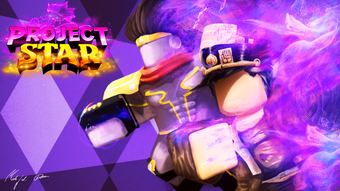

Free Role-Playing Adventure on Roblox
Project Star is a free role-playing game developed by Big Losers Club for the Roblox platform. Designed for players seeking immersive storytelling and dynamic quests, it offers a structured journey through diverse in-game locations. The game introduces users to its mechanics via accessible starting missions, gradually increasing in complexity to challenge experienced players.
Its narrative-driven design encourages exploration, skill progression, and community interaction. Ideal for fans of RPGs and Roblox-based adventures, it appeals to both casual gamers and dedicated role-players. Real-world usage includes solo exploration, cooperative questing, and community-driven problem-solving.
While development has ceased, the game maintains an active player base that continues to engage with its core content. The developer did not provide additional system requirements. Performance observations are based on general software behavior patterns.
Key Features & Capabilities
- Quest-Based Story Progression – Players begin with introductory missions to learn the mechanics, then advance through a series of increasingly complex quests. Each mission activates upon approaching an NPC marked with a question mark, offering a clear path for engagement.
- Three Skill Trees – Players can enhance their avatar’s abilities through three distinct skill trees, allowing for customized progression based on preferred playstyles, such as combat, stealth, or resource management.
- Real-Time Quest Tracking – A side panel displays all active missions, showing objectives and progress, enabling efficient navigation and time management during gameplay.
- Distance Indicator – Upon mission activation, the game displays the distance to the target location in studs, helping players orient themselves and plan their route.
- Community Interaction – The in-game chat system allows players to communicate with others, seek advice, or form teams for challenging quests, fostering collaboration within the player community.
- Progressive Difficulty – The game’s design ensures that early missions are straightforward, but later stages require higher skill levels, experience, and strategic planning to complete successfully.
These features support both solo and cooperative play, making the game adaptable to different user preferences. Players can use the skill trees to tailor their avatar’s capabilities, while the quest tracking system enhances workflow efficiency. The community aspect adds social value, especially for those seeking guidance or companionship during gameplay.
User Interface, Workflow & Performance
The user interface is structured around the Roblox platform’s standard layout, featuring a central gameplay view with a side panel for quest management. Navigation is intuitive, relying on standard movement controls and interaction with NPCs. The workflow begins with mission activation, followed by pathfinding, task completion, and reward collection.
The game’s performance is consistent with typical Roblox applications, though exact resource usage details were not specified. Stability appears to be maintained by the active community, despite the lack of official updates. The developer did not specify CPU or RAM behavior.
Users can expect standard performance levels typical of browser-based and desktop applications on supported platforms.
Compatibility & System Requirements
Project Star is compatible with both Windows and Mac operating systems. The software has a download size of 100 MB. The developer did not specify exact system requirements.
Compatibility information was partially provided. Installation is straightforward, following standard Roblox platform procedures. No additional hardware specifications were listed.
Pros and Cons
Pros
- Free to play with no hidden costs
- Engaging narrative with deep quest structure
- Three customizable skill trees for character development
- Active community for support and collaboration
- Simple onboarding with beginner-friendly missions
- Progressive difficulty keeps gameplay challenging over time
Cons
- No official updates since development ceased
- Limited system requirement details provided
- Relies on Roblox platform for access, not a standalone desktop app
- Performance may vary based on device and internet connection
- Some features may become outdated without maintenance
FAQ Section
Is Project Star available for Windows and Mac?
Yes, Project Star is compatible with both Windows and Mac operating systems.
Is the game free to download and play?
Yes, Project Star is available at no cost. There are no subscription fees or in-game purchases required to access the core content.
Can I play Project Star offline?
Project Star requires an active internet connection to access the Roblox platform and play. Offline gameplay is not supported.
Is the game still being updated?
Development and official updates have ceased. The game is maintained by the community, but no new content is being released by the developer.
What kind of license does Project Star have?
As a Roblox-based game, Project Star operates under the Roblox platform’s terms of service. The developer did not specify a separate license type.
Final Thoughts
Project Star stands out as a notable example of a deep, narrative-driven role-playing experience on the Roblox platform. Despite the absence of official updates, its well-structured quests, skill progression system, and active community continue to attract players. The game delivers a compelling adventure with meaningful progression and collaborative elements.
While it relies on external infrastructure, its core mechanics remain functional and engaging. For fans of immersive RPGs within a multiplayer environment, Project Star offers lasting value. Download Project Star now.







